4 Designing the QML Interface
QML (Qt Modeling Language) defines the analysis options panel that users interact with. JASP provides standardised components (checkboxes, dropdowns, variable lists, etc.) that generate a uniform look and automatically communicate user choices to R.
Key QML paradigms:
- Containment — components can be nested; properties of inner components are hidden from outer ones
- Property binding — when a property is set via a JavaScript expression referencing another component, it updates automatically when that component changes
CheckBox { id: showCi; label: qsTr("Confidence interval") }
CIField { name: "ciLevel"; enabled: showCi.checked }Wrap all user-visible text in qsTr() for translation support. Use \uXXXX for non-Latin characters.
Follow the QML style guide for formatting conventions and Appendix C for standardised option names.
4.1 General input components
4.1.1 CheckBox
Toggle on/off. Nested components are automatically enabled/disabled.
| Property | Default | Description |
|---|---|---|
name |
— | Identifier used in R |
label |
— | User-visible text |
checked |
false |
Default state |
childrenOnSameRow |
false |
Place children horizontally |
columns |
1 |
Columns for nested components |
CheckBox
{
    name:    "homogeneityCorrections"
    label:   qsTr("Homogeneity corrections")
    columns: 3
    CheckBox { name: "homogeneityNone";  label: qsTr("None");           checked: true }
    CheckBox { name: "homogeneityBrown"; label: qsTr("Brown-Forsythe"); checked: true }
    CheckBox { name: "homogeneityWelch"; label: qsTr("Welch");          checked: true }
}
4.1.2 RadioButtonGroup / RadioButton
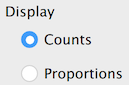
Only one RadioButton per group can be selected. The group’s name is sent to R with the value of the selected button.
RadioButtonGroup
{
    name:  "alternative"
    title: qsTr("Alternative Hypothesis")
    RadioButton { value: "twoSided"; label: qsTr("≠ Test value"); checked: true }
    RadioButton { value: "greater";  label: qsTr("> Test value") }
    RadioButton { value: "less";     label: qsTr("< Test value") }
}
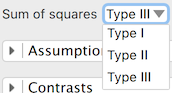
4.1.3 DropDown
DropDown
{
    name:   "method"
    label:  qsTr("Method")
    values: [
        { label: qsTr("Pearson"),  value: "pearson"  },
        { label: qsTr("Spearman"), value: "spearman" }
    ]
}
Key properties: source (populate from a variable list), addEmptyValue, startValue.
4.1.4 Numeric fields
| Component | Purpose | Key defaults |
|---|---|---|
DoubleField |
Decimal input | min: 0, decimals: 3 |
IntegerField |
Integer input | min: 0 |
PercentField |
Percentage | defaultValue: 50 |
CIField |
Confidence interval % | defaultValue: 95 |
DoubleField  { name: "priorWidth"; label: qsTr("Prior width"); defaultValue: 0.5; max: 2 }
IntegerField { name: "nSamples";   label: qsTr("Samples");     defaultValue: 10000 }
CIField      { name: "ciLevel";    label: qsTr("Confidence interval") }
4.1.5 TextField and FormulaField
TextField accepts arbitrary text. FormulaField accepts R expressions that evaluate to numbers (e.g., 1/3, pi, sin(30)).
TextField    { name: "labelY"; label: qsTr("Y-axis label"); fieldWidth: 200 }
FormulaField { name: "prior";  label: qsTr("Prior");        defaultValue: "1/3" }
4.1.6 TextArea
Multi-line input; press Ctrl+Enter to apply. Set textType for syntax highlighting:
JASP.TextTypeLavaan— lavaan syntaxJASP.TextTypeRcode— R codeJASP.TextTypeJAGS— JAGS model
4.2 Variable specification components
4.2.1 AvailableVariablesList / AssignedVariablesList
The core drag-and-drop mechanism. Wrap in a VariablesForm:
VariablesForm
{
    AvailableVariablesList { name: "allVariables" }
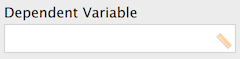
    AssignedVariablesList
    {
        name:           "dependent"
        label:          qsTr("Dependent Variable")
        singleVariable: true
        allowedColumns: ["scale"]
    }
    AssignedVariablesList
    {
        name:           "fixedFactors"
        label:          qsTr("Fixed Factors")
        allowedColumns: ["nominal", "ordinal"]
    }
}
Key AssignedVariablesList properties:
| Property | Description |
|---|---|
singleVariable |
Only one variable allowed |
allowedColumns |
Restrict to ["scale"], ["nominal", "ordinal"], etc. |
listViewType |
JASP.Interaction for model terms, JASP.Layers for layers |
rowComponent |
Add per-variable controls (checkboxes, dropdowns) |
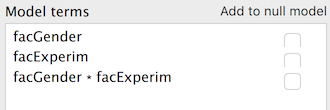
AssignedVariablesList
{
    name:         "modelTerms"
    label:        qsTr("Model Terms")
    listViewType: JASP.Interaction
    rowComponent: CheckBox { name: "isNuisance"; label: qsTr("Nuisance") }
}
4.2.2 FactorLevelList
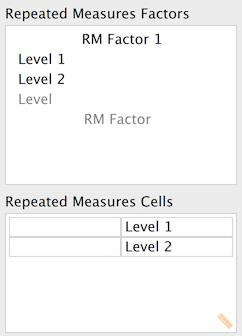
For defining factor names and their levels (e.g., Repeated Measures ANOVA):
FactorLevelList
{
    name:       "repeatedMeasuresFactors"
    label:      qsTr("Repeated Measures Factors")
    factorName: qsTr("RM Factor")
    minLevels:  2
}
4.3 Complex components
4.3.1 ComponentsList
Dynamically add/remove sets of options (e.g., multiple models):
ComponentsList
{
    name:       "models"
    label:      qsTr("Models")
    rowComponent: Group
    {
        TextField { name: "modelName"; label: qsTr("Name") }
        TextArea  { name: "syntax";    textType: JASP.TextTypeLavaan }
    }
}
4.3.2 TabView
Multiple tabs, each containing the same set of controls:
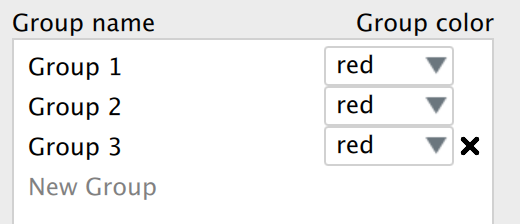
TabView
{
    name:        "models"
    maximumItems: 9
    newItemName: qsTr("Model 1")
    content: TextArea { name: "syntax"; textType: JASP.TextTypeLavaan }
}
4.3.3 InputListView / TableView
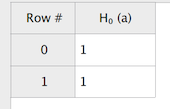
InputListView — list of user-specified items with per-item controls. TableView — spreadsheet-like grid input.
4.4 Grouping components
4.4.1 Group
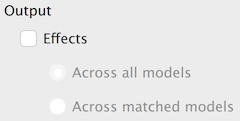
Visually groups controls with an optional title:
Group
{
    title: qsTr("Additional Options")
    CheckBox { name: "meanDifference"; label: qsTr("Mean difference") }
    CheckBox { name: "effectSize";     label: qsTr("Effect size") }
}
4.4.2 Section
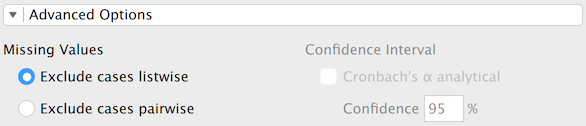
A collapsible section (accordion):
Section
{
    title: qsTr("Assumption Checks")
    CheckBox { name: "normalityTest"; label: qsTr("Normality test") }
    CheckBox { name: "equalityOfVariances"; label: qsTr("Equality of variances") }
}
4.5 Layout
Use Layout.columnSpan and Layout.rowSpan to control how components fill the grid:
VariablesForm
{
    AvailableVariablesList { name: "allVars" }
    AssignedVariablesList  { name: "vars"; Layout.columnSpan: 2 }
}
4.6 The info property
Every component accepts an info property used to auto-generate help documentation:
CheckBox
{
    name:  "descriptives"
    label: qsTr("Descriptives")
    info:  qsTr("When checked, displays a table of descriptive statistics.")
}
Wrap info text in qsTr() to make help translatable.
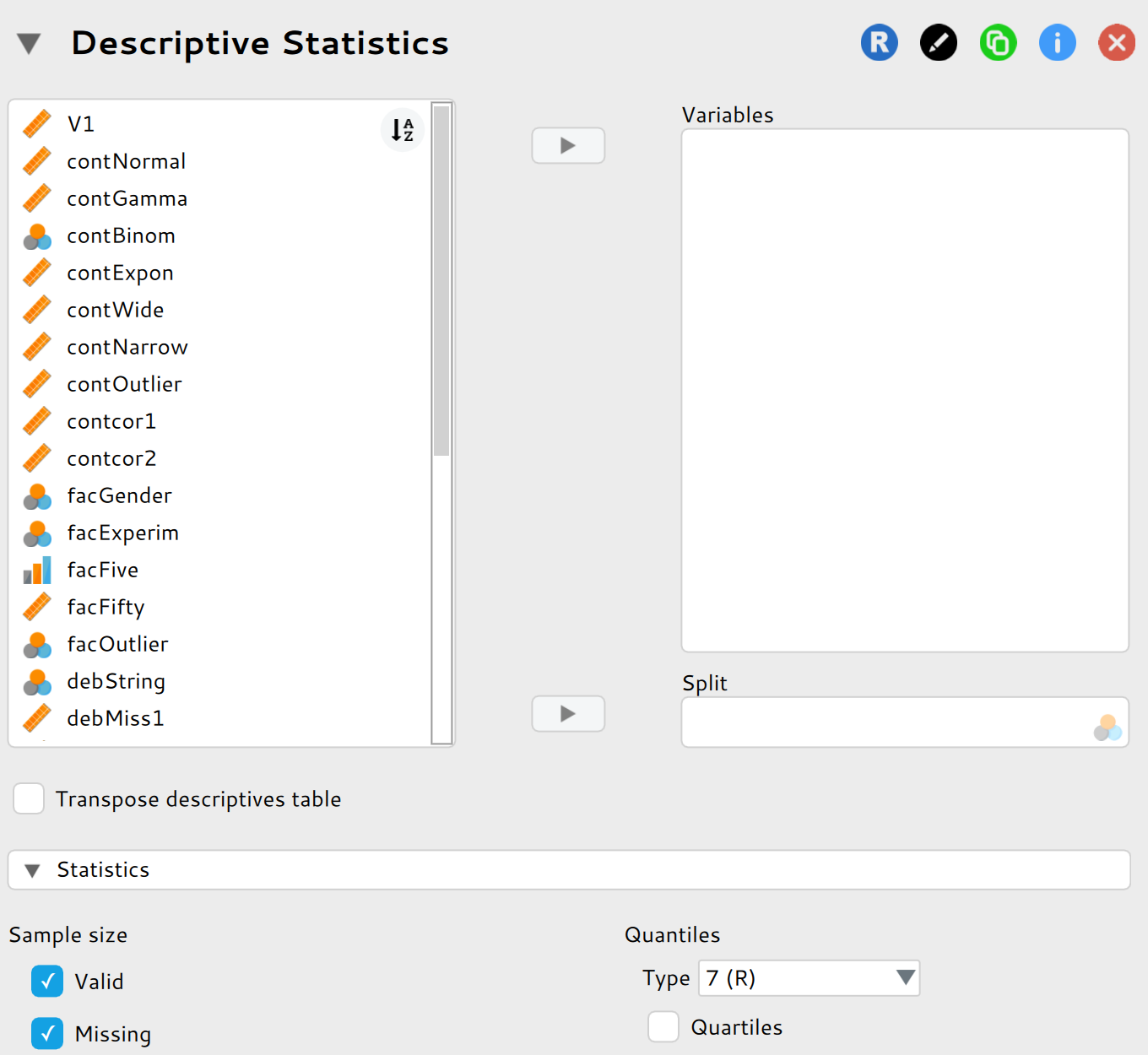
4.7 Complete example
import QtQuick
import JASP
import JASP.Controls

Form
{
    VariablesForm
 {
        infoLabel: qsTr("Input")
        AvailableVariablesList  { name: "allVariablesList"                              }
        AssignedVariablesList   { name: "variables"; id: variables;     title: qsTr("Variables");   info: qsTr("All variables of interest."); allowTypeChange: true}
        AssignedVariablesList   { name: "splitBy";          title: qsTr("Split");       info: qsTr("Can be split by a categorical variable such as experimental condition.") ; singleVariable: true; allowedColumns: ["nominal"];   id: splitBy; minLevels: 2; maxLevels: 256 } // without maxLevels entering a continuous variable can freeze/ crash jasp, so we need an arbitrary maximum
    }

    CheckBox
    {
        name    : "descriptivesTableTransposed"
        label   : qsTr("Transpose descriptives table")
        info    : qsTr("Tranposes the main table")
        checked : false
    }

    Section
    {
        title: qsTr("Statistics")

        Group
        {
            title: qsTr("Sample size")
            CheckBox { name: "valid";           label: qsTr("Valid");   checked: true
                         info: qsTr("Number of valid observations")}
            CheckBox { name: "missing";         label: qsTr("Missing"); checked: true   }
        }
    }
}