flowchart TD
    Main["Main function"] -->|"stores table"| JR["jaspResults"]
    Main -->|"stores state"| JR
    TableFn[".fillTable()"] -->|"reads state"| JR
    PlotFn[".fillPlot()"] -->|"reads state"| JR
    TableFn -->|"fills table"| JR
    PlotFn -->|"fills plot"| JR
5 Writing the R Backend
5.1 Understanding jaspResults
The central concept in JASP’s R API is jaspResults — a persistent, named container that lives for the entire lifetime of an analysis. Think of it as a big box you can throw things into and pull things out of at any point:
- Tables (
createJaspTable) - Plots (
createJaspPlot) - Containers (
createJaspContainer) — grouping boxes that hold other tables/plots - State (
createJaspState) — cached R objects (models, intermediate results) - HTML (
createJaspHtml) — free-form text output
You store items by assigning them to named slots: jaspResults[["myTable"]] <- table. You retrieve them the same way: jaspResults[["myTable"]]. If a slot is NULL, the item hasn’t been created yet.
5.1.1 Why this matters
In a traditional R script you’d pass individual objects between functions — the model object to the table function, then to the plot function, etc. In JASP, every function just receives jaspResults and can reach into it for whatever it needs. This eliminates the need to pass around dozens of objects:
5.1.2 Automatic caching
Every item in jaspResults declares which options it depends on (via $dependOn()). When the user changes an option in the GUI:
- Items that depend on the changed option are automatically invalidated and recreated
- Items that don’t depend on it are kept as-is — no recomputation
This is why every output function starts with if (!is.null(jaspResults[["myTable"]])) return() — if the table already exists and its dependencies haven’t changed, skip it entirely.
5.1.3 Sketch of an analysis
Here is the shape every JASP analysis follows (the full runnable version is in the Analysis Skeleton appendix):
MyAnalysis <- function(jaspResults, dataset, options) {
  ready <- length(options[["variables"]]) > 0          # 1. ready check

  if (ready) {
    .myAnalysisCheckErrors(dataset, options)             # 2. error check
    .myAnalysisComputeResults(jaspResults, dataset, options) # 3. compute & store
  }

  .myAnalysisMainTable(jaspResults, options, ready)      # 4. table
  .myAnalysisPlot(     jaspResults, options, ready)      # 5. plot

  return()
}
Notice: no return values are passed between functions. .myAnalysisComputeResults() stores the model in jaspResults; the table and plot functions retrieve it from there. If the user only toggles a plot checkbox, the model and table are still cached — only the plot is recreated.
5.2 The analysis function pattern
Every JASP analysis follows the same structure. The main function name must match the func field in Description.qml (case-sensitive). It always receives three arguments:
| Argument | Description |
|---|---|
jaspResults |
The persistent results container — store all tables, plots, state, and containers here |
dataset |
The dataset, preloaded by JASP when preloadData: true (the default and recommended setting). NULL if preloadData: false |
options |
Named list of user selections from the QML form |
The main function orchestrates the analysis by calling helper functions. Think of it as a recipe:
- Ready check — can we compute? (are variables assigned?)
- Error check — is the data valid?
- Compute — fit the model, store results in
jaspResults - Output — create tables and plots that retrieve results from
jaspResults
The rest of this chapter walks through each step using a single running example. See the Analysis Skeleton appendix for the complete copy-paste template.
Important
Always access options with double brackets: options[["myOption"]]. Single brackets or $ allow partial matching which can cause subtle bugs.
Tip
For a complete copy-paste starting point, see the Analysis Skeleton appendix.
5.3 Step 2: Check if results can be computed
Most analyses need minimum input before computing. Determine this early:
ready <- length(options[["variables"]]) > 0When ready is FALSE, your output functions should still create and attach tables and plots — they just won’t fill in the data yet, so the user sees an empty placeholder with dots. Once the user assigns variables and ready becomes TRUE, the results are computed and filled in. See the table example in Step 5 for how this works in practice: the table is fully configured and attached before the if (!ready) return() check.
flowchart LR
  A(["Start"]) --> Decision{"Input sufficient?"}
  Decision -- yes --> B["Compute & display results"]
  Decision -- "not yet" --> C["Show empty placeholders"]
5.4 Step 3: The dataset
With preloadData: true (the default in Description.qml), JASP passes the dataset directly to your R function via the dataset argument — you do not need a read-data function. Columns are automatically converted to the types requested by QML components: if an AssignedVariablesList has allowedColumns: ["scale"], those columns arrive in R as numeric.
If you need listwise deletion, do it inline in the main function or a small helper:
dataset <- jaspBase::excludeNaListwise(dataset, unlist(options[["variables"]]))If your analysis needs columns split into separate data frames (e.g., a layout variable vs. analysis variables), subset the preloaded dataset:
mainData   <- dataset[, mainVariables]
layoutData <- dataset[, layoutVariables]
WarningLegacy: readDataSetToEnd() is deprecated
Older JASP analyses used a separate function — readDataSetToEnd() (or .readDataSetToEnd()) — to load data inside the R analysis. This function is deprecated and should not be used in new code. With preloadData: true, the data arrives in the dataset argument ready to use, with column types already set by QML. If you encounter readDataSetToEnd() in existing code, replace it by enabling preloadData: true in Description.qml and using the dataset argument directly.
5.4.1 When to disable preloading
For some analyses JASP cannot infer which column names appear in the options (e.g., JAGS, SEM where variable names are embedded in syntax strings). Disable preloading per-analysis in Description.qml:
Analysis
{
    title:         qsTr("Structural Equation Modeling")
    func:          "SEM"
    preloadData:   false
}
When preloadData: false, the dataset argument is NULL and you must read data manually.
5.4.2 Column encoding
Column names are encoded (e.g., JaspColumn_.1._Encoded) to handle special characters. The values in options are also encoded, so you can subset directly:
dataset[, options[["variables"]]]When displaying column names to users (e.g., as axis tick labels in plots), decode them:
jaspBase::decodeColNames("JaspColumn_.1._Encoded") # returns original name
Tip
Only decode at the last moment before display. Keep names encoded internally for reliable matching.
5.5 Step 4: Check for errors
Even with sufficient input, data may contain problems. Use .hasErrors() for common checks:
.hasErrors(dataset,
  type                 = c("observations", "variance", "infinity"),
  all.target           = options[["variables"]],
  observations.amount  = "< 3",
  exitAnalysisIfErrors = TRUE
)
5.5.1 Available error checks
| Check | What it does | Key argument |
|---|---|---|
infinity |
Infinite values in variables | target, grouping |
negativeValues |
Negative values | target |
missingValues |
Missing values (NA) | target |
observations |
Count of observations vs threshold | amount (e.g., "< 2") |
variance |
Zero or specific variance | equalTo (default: 0) |
factorLevels |
Number of factor levels | amount (e.g., "< 2") |
limits |
Value within min/max bounds | min, max |
Prefix arguments with the check name: observations.amount, variance.target, etc. Use all. prefix to apply to all checks: all.target = options[["variables"]].
5.6 Step 5: Create output
5.6.1 Tables
Tables are the most common output. The lifecycle:
- Check cache — if
jaspResults[["myTable"]]exists, skip creation - Create —
createJaspTable(title = "My Results") - Set dependencies —
$dependOn(c("opt1", "opt2")) - Define columns —
$addColumnInfo(name, title, type) - Attach to output —
jaspResults[["myTable"]] <- table - Fill with data —
$addRows(list(...))
Continuing our running example — the table retrieves the model from jaspResults:
.myAnalysisMainTable <- function(jaspResults, options, ready) {
  # Skip if already cached
  if (!is.null(jaspResults[["mainTable"]])) return()

  # Create and configure
  table <- createJaspTable(title = gettext("Results"))
  table$dependOn(c("variables", "dependent"))

  # Define columns
  table$addColumnInfo(name = "term",     title = gettext("Term"),       type = "string")
  table$addColumnInfo(name = "estimate", title = gettext("Estimate"),   type = "number")
  table$addColumnInfo(name = "se",       title = gettext("Std. Error"), type = "number")
  table$addColumnInfo(name = "p",        title = "p",                   type = "pvalue")

  # Attach to jaspResults — shows an empty placeholder immediately
  jaspResults[["mainTable"]] <- table

  if (!ready) return()

  # Retrieve the cached model and fill
  results <- jaspResults[["myAnalysisState"]]$object
  coefTab <- summary(results$model)$coefficients

  for (i in seq_len(nrow(coefTab))) {
    table$addRows(list(
      term     = rownames(coefTab)[i],
      estimate = coefTab[i, "Estimate"],
      se       = coefTab[i, "Std. Error"],
      p        = coefTab[i, "Pr(>|t|)"]
    ))
  }
}
5.6.1.1 Column types
| Type | Description | Format options |
|---|---|---|
string |
Text | — |
number |
Decimal number | sf:4, dp:3, pc (percentage) |
integer |
Whole number | — |
pvalue |
p-value with smart formatting | — |
5.6.1.2 Footnotes
table$addFootnote(message = gettext("Some note about the table."))
# Target specific cells:
table$addFootnote(message = "...", colNames = "p", rowNames = "var1")
5.6.1.3 Reporting errors on tables
When a computation can fail, wrap it in try() and use $setError() to display a meaningful message on the table (or container) instead of crashing the analysis:
model <- try(lm(y ~ x, data = dataset))
if (isTryError(model)) {
  container$setError(.extractErrorMessage(model))
  return()
}
For known failure modes you can match the error message and provide a more helpful, translated explanation:
if (isTryError(model)) {
  errorMsg <- .extractErrorMessage(model)

  if (errorMsg == "singular fit encountered") {
    container$setError(gettext(
      "Singular fit encountered; one or more predictor variables are a linear combination of other predictor variables"
    ))
  } else if (errorMsg == "residual sum of squares is 0 (within rounding error)") {
    container$setError(gettext(
      "Residual sum of squares is 0; this might be due to extremely low variance of your dependent variable"
    ))
  } else {
    container$setError(errorMsg)
  }
  return()
}
Note: $setError() works on tables, plots, and containers. Setting it on a container marks all its contents as errored (see Section 5.7).
5.6.2 Plots
Plots follow the same pattern. JASP only supports ggplot2.
.myAnalysisPlot <- function(jaspResults, options, ready) {
  if (!options[["residualPlot"]]) return()  # only if user enabled the checkbox
  if (!is.null(jaspResults[["residualPlot"]])) return()

  plot <- createJaspPlot(title = gettext("Residuals vs. Fitted"),
                         width = 480, height = 320)
  plot$dependOn(c("variables", "dependent", "residualPlot"))
  jaspResults[["residualPlot"]] <- plot

  if (!ready) return()

  # Retrieve cached model
  results  <- jaspResults[["myAnalysisState"]]$object
  plotData <- data.frame(
    fitted    = fitted(results$model),
    residuals = residuals(results$model)
  )

  plot$plotObject <- ggplot2::ggplot(plotData,
      ggplot2::aes(x = .data[["fitted"]], y = .data[["residuals"]])) +
    ggplot2::geom_point() +
    ggplot2::geom_hline(yintercept = 0, linetype = "dashed") +
    ggplot2::labs(x = gettext("Fitted values"), y = gettext("Residuals"))
}
5.6.3 Text (HTML) output
htmlOutput <- createJaspHtml(text = gettextf("Variable %s was excluded.", varName))
htmlOutput$dependOn("variables")
jaspResults[["myText"]] <- htmlOutput
HTML tags (<b>, <i>) can be used for formatting.
5.7 Containers: grouping output elements
Containers group related tables and plots visually and functionally. The key benefit: dependencies set on a container are inherited by all its contents. When a depended-on option changes, JASP automatically empties the entire container (sets it to NULL), so all its tables, plots, and state are recreated together.
5.7.1 Container as a caching gate
A common pattern is to put the model state inside a container, then check whether the container is NULL to decide if results need to be (re)computed:
MyAnalysis <- function(jaspResults, dataset, options) {
  ready <- length(options[["variables"]]) > 0

  if (ready) {
    .myCheckErrors(dataset, options)
    .myComputeResults(jaspResults, dataset, options)
  }

  .myMainTable(jaspResults, options, ready)
  .myPlot(     jaspResults, options, ready)

  return()
}

.myComputeResults <- function(jaspResults, dataset, options) {
  # If the container still exists, all results inside it are still valid
  # — nothing to do.
  # If it is NULL, either:
  #   (a) this is the first time the analysis runs, or
  #   (b) the user changed an option the container depends on,
  #       so JASP emptied it and we must recompute.
  if (!is.null(jaspResults[["resultsContainer"]]))
    return()

  container <- createJaspContainer(title = gettext("Results"))
  container$dependOn(c("dependent", "variables", "method"))
  jaspResults[["resultsContainer"]] <- container

  # Expensive computation
  model   <- lm(as.formula(paste(options[["dependent"]], "~ .")),
                 data = dataset)
  results <- list(model = model)

  # Store inside the container — lives and dies with it
  container[["state"]] <- createJaspState(results)
}
Because the state lives inside the container, it is automatically discarded when the container is invalidated — no separate $dependOn() needed on the state itself.
The output functions then retrieve the model from the container:
.myMainTable <- function(jaspResults, options, ready) {
  if (!is.null(jaspResults[["resultsContainer"]][["mainTable"]])) return()

  table <- createJaspTable(title = gettext("Coefficients"))
  # No need to repeat dependOn — inherited from the container
  jaspResults[["resultsContainer"]][["mainTable"]] <- table

  if (!ready) return()

  results <- jaspResults[["resultsContainer"]][["state"]]$object
  coefTab <- summary(results$model)$coefficients

  for (i in seq_len(nrow(coefTab))) {
    table$addRows(list(
      term     = rownames(coefTab)[i],
      estimate = coefTab[i, "Estimate"],
      p        = coefTab[i, "Pr(>|t|)"]
    ))
  }
}
Tip
When to use a container vs. bare jaspResults slots: if several outputs share the same set of dependencies and should all recompute together, wrap them in a container and set $dependOn() once. If an output has unique dependencies (e.g., a plot toggled by its own checkbox), attach it directly to jaspResults with its own $dependOn().
5.7.2 Per-value dependencies
For loops over variables, use optionContainsValue so that adding or removing one variable only invalidates that specific element:
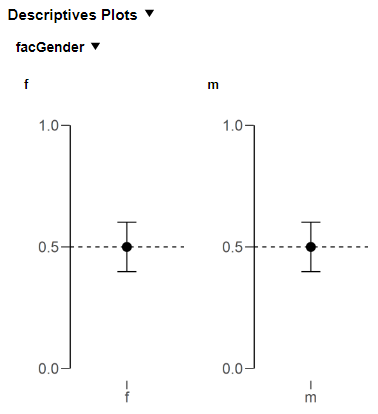
container <- createJaspContainer(title = gettext("Descriptive Plots"))
container$dependOn(c("variables", "plotDescriptives"))
jaspResults[["descContainer"]] <- container

for (variable in options[["variables"]]) {
  if (!is.null(container[[variable]])) next  # skip if cached

  plot <- createJaspPlot(title = variable, width = 480, height = 320)
  plot$dependOn(optionContainsValue = list(variables = variable))
  container[[variable]] <- plot

  # ... fill plot ...
}
5.7.3 Container errors
Setting an error on a container propagates to all its contents:
container$setError(gettext("Something went wrong."))
if (container$getError()) return()
5.8 State: caching computed results
When multiple output elements (tables, plots, assumption checks) share the same expensive computation, you don’t want to run it separately for each. Use createJaspState() to store any R object in jaspResults and retrieve it later.
Continuing our running example — here is the compute function. It stores the model in jaspResults and returns nothing:
.myAnalysisComputeResults <- function(jaspResults, dataset, options) {
  # Already cached? Nothing to do.
  if (!is.null(jaspResults[["myAnalysisState"]]))
    return()

  # Expensive computation (e.g., fitting a model)
  results <- list(
    model = lm(as.formula(paste(options[["dependent"]], "~ .")),
               data = dataset)
  )

  # Store in jaspResults — invalidated automatically when dependencies change
  state <- createJaspState(results)
  state$dependOn(c("dependent", "variables"))
  jaspResults[["myAnalysisState"]] <- state
}
The main function calls .myAnalysisComputeResults() once. The table and plot functions (shown above in Section 5.6.1 and Section 5.6.2) both retrieve the cached results via jaspResults[["myAnalysisState"]]$object. On the first run the model is fitted and stored; on subsequent runs where the dependencies haven’t changed, the function returns immediately and the table and plot reuse the cached model.
5.8.1 What can you store in state?
Anything — model objects, matrices, lists of results, data frames. The only constraint is that the object must be serialisable (which almost everything in R is). Common patterns:
| What to cache | Why |
|---|---|
Fitted model (lm, aov, etc.) |
Avoids refitting when the user toggles a plot checkbox |
| Correlation/test-statistic matrix | Shared between main table, assumption table, and plot |
| Bootstrap samples | Expensive to generate; reused for CIs and plots |
| Preprocessed dataset | When cleaning/transforming is slow |